

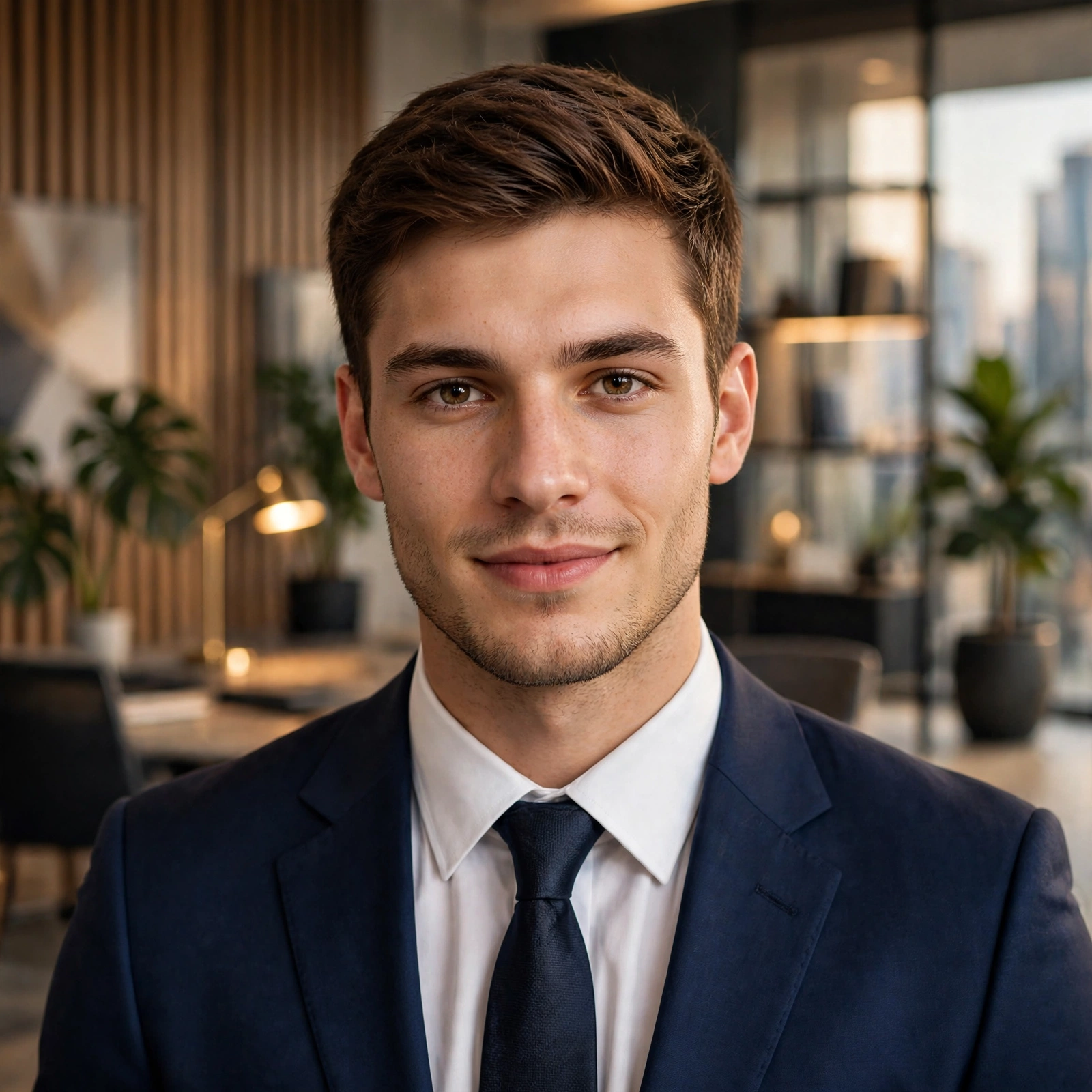

🔥 এবার আপনার পালা!
আপনি কোন ধরনের AI Photo Edit করতে চান?
📸 1 — Professional DSLR Look
🎬 2 — Cinematic Look
👔 3 — Formal Suit Look
🌆 4 — Luxury Background
✨ 5 — Photo Quality Enhancement
কমেন্টে আপনার পছন্দের নম্বর লিখুন এবং পোস্টটি Save করে রাখুন, যাতে প্রয়োজনের সময় Prompt-গুলো ব্যবহার করতে পারেন।
AI দিয়ে ছবি Edit করতে গিয়ে আপনার আসল চেহারা বদলে যাচ্ছে? 😰
কখনো Face Shape পরিবর্তন হয়ে যায়, কখনো চোখ-নাক আলাদা দেখায়, আবার কখনো Skin Tone ও Hairstyle-ও বদলে যায়!
অথচ আপনি চান নিজের আসল চেহারা ঠিক রেখেই ছবিকে Professional, Cinematic কিংবা DSLR-এর মতো সুন্দর করতে! 🤩
🔥 সমাধান হলো—AI-কে শুধু কী পরিবর্তন করতে হবে তা নয়, কোন বিষয়গুলো একদম অপরিবর্তিত রাখতে হবে, সেটিও স্পষ্টভাবে বলে দেওয়া।
আজকে শিখুন ৫টি Powerful AI Photo Editing Prompt, যেগুলো ChatGPT-এর Image Editing বা অন্য কোনো উপযুক্ত AI Image Editor-এ চেষ্টা করতে পারেন।
📸 Prompt 1: Face একদম Same রেখে Professional Photo Edit
কখন ব্যবহার করবেন: সাধারণ ছবিকে Professional Portrait বানাতে।
PROMPT:
“Edit the uploaded photo into a high-quality professional portrait. Preserve the person’s exact facial identity, facial structure, eyes, nose, lips, jawline, skin tone, hairstyle, and natural age. Do not reshape, beautify, or regenerate the face. Improve only the lighting, exposure, sharpness, color balance, and background. Keep the result realistic and natural, with authentic skin texture and no artificial beauty filters. The person must remain clearly recognizable as the exact same individual.”
🎬 Prompt 2: Cinematic Look তৈরি করুন, Face না বদলিয়ে
কখন ব্যবহার করবেন: ছবিতে Dark, Classy ও Cinematic Look আনতে।
PROMPT:
“Transform the uploaded photo into a cinematic, premium editorial portrait. Strictly preserve the original person’s identity, facial features, face shape, skin tone, hairstyle, and expression. Do not alter or reconstruct the face. Change only the background, lighting, color grading, and overall atmosphere. Add subtle cinematic shadows, realistic warm highlights, natural contrast, and a sophisticated dark background. Maintain realistic skin texture and photographic authenticity. The face must remain identical to the original photo.”
👔 Prompt 3: Outfit পরিবর্তন করুন, Face অপরিবর্তিত রাখুন
কখন ব্যবহার করবেন: নিজের ছবিতে Professional Suit, Blazer বা Formal Outfit যোগ করতে।
PROMPT:
“Edit the uploaded photo by changing only the person’s clothing to a premium, well-fitted formal business suit with a clean white shirt. Preserve the exact original face, identity, facial geometry, eyes, nose, lips, skin tone, hairstyle, and expression. Do not change the person’s age or body proportions. Keep the original face untouched and realistic. Match the clothing, lighting, shadows, and fabric details naturally. Do not apply facial retouching or beauty filters.”
🌆 Prompt 4: Background পরিবর্তন করুন, Face Same রাখুন
কখন ব্যবহার করবেন: সাধারণ ছবিকে Modern Office, Luxury Studio বা Professional Environment-এ দেখাতে।
PROMPT:
“Replace only the background of the uploaded photograph with a realistic modern luxury office featuring elegant furniture, soft ambient lighting, and a premium professional atmosphere. Preserve the original person’s exact facial identity, facial features, skin tone, hairstyle, expression, and body proportions. Do not regenerate, reshape, smooth, or beautify the face. Keep the person natural and recognizable. Ensure realistic lighting direction, shadows, perspective, and seamless integration between the subject and the new background.”
📷 Prompt 5: সাধারণ ছবিকে DSLR Quality-তে উন্নত করুন
কখন ব্যবহার করবেন: ছবির Quality, Sharpness ও Lighting উন্নত করতে।
PROMPT:
“Enhance the uploaded photograph to resemble a high-quality DSLR portrait captured with a professional camera and portrait lens. Preserve the person’s exact identity, original facial features, skin tone, hairstyle, and expression. Do not modify facial proportions or create a new face. Improve image resolution, focus, exposure, natural skin detail, dynamic range, and realistic background separation. Use subtle, authentic depth of field and professional color correction. Avoid excessive sharpening, artificial skin smoothing, and fake-looking bokeh. Keep the final image photorealistic.”
🚨 Face যেন পরিবর্তন না হয়, সেজন্য ৫টি গুরুত্বপূর্ণ টিপস
✅ ১. Original Photo Upload করুন: যতটা সম্ভব পরিষ্কার, ভালো আলোতে তোলা ছবি ব্যবহার করুন।
✅ ২. Exact Identity Preserve লিখুন: শুধু “Keep my face same” না লিখে facial structure, skin tone, hairstyle ও expression অপরিবর্তিত রাখার নির্দেশ দিন।
✅ ৩. একবারে একটি পরিবর্তন করুন: প্রথমে Background, পরে Outfit বা Lighting পরিবর্তন করে দেখুন।
✅ ৪. অতিরিক্ত Beauty Filter এড়িয়ে চলুন: Smooth Skin, Perfect Face বা Face Enhancement-এর মতো নির্দেশনা কখনো কখনো চেহারা বদলে দিতে পারে।
✅ ৫. Original-এর সঙ্গে Compare করুন: চোখ, নাক, ঠোঁট, Jawline ও Skin Tone মিলিয়ে দেখুন। প্রয়োজনে আরও সীমিত পরিবর্তনের নির্দেশ দিন।
বিশেষ দ্রষ্টব্য: এসব Prompt মুখের পরিচয় ধরে রাখতে সাহায্য করতে পারে, তবে কোনো AI Editor-ই প্রতিবার ১০০% একই চেহারা রাখার নিশ্চয়তা দেয় না। সবচেয়ে ভালো ফলের জন্য এমন Editing Tool ব্যবহার করুন, যেখানে Original Image ও Identity Preservation নিয়ন্ত্রণ করা যায়।